Scripts
While common configuration tasks can be performed directly via the UI, more advanced and specialized configurations may require the use of a script. Each script is a small piece of Python code which defines the variables a user can configure via the UI and the functions (callbacks) triggered in reaction to (configured) inputs being used. Since the functions are written in Python there is no limit as to what can be expressed. How to write such scripts is described in Scripts. The following describes the user interface portion of a script.
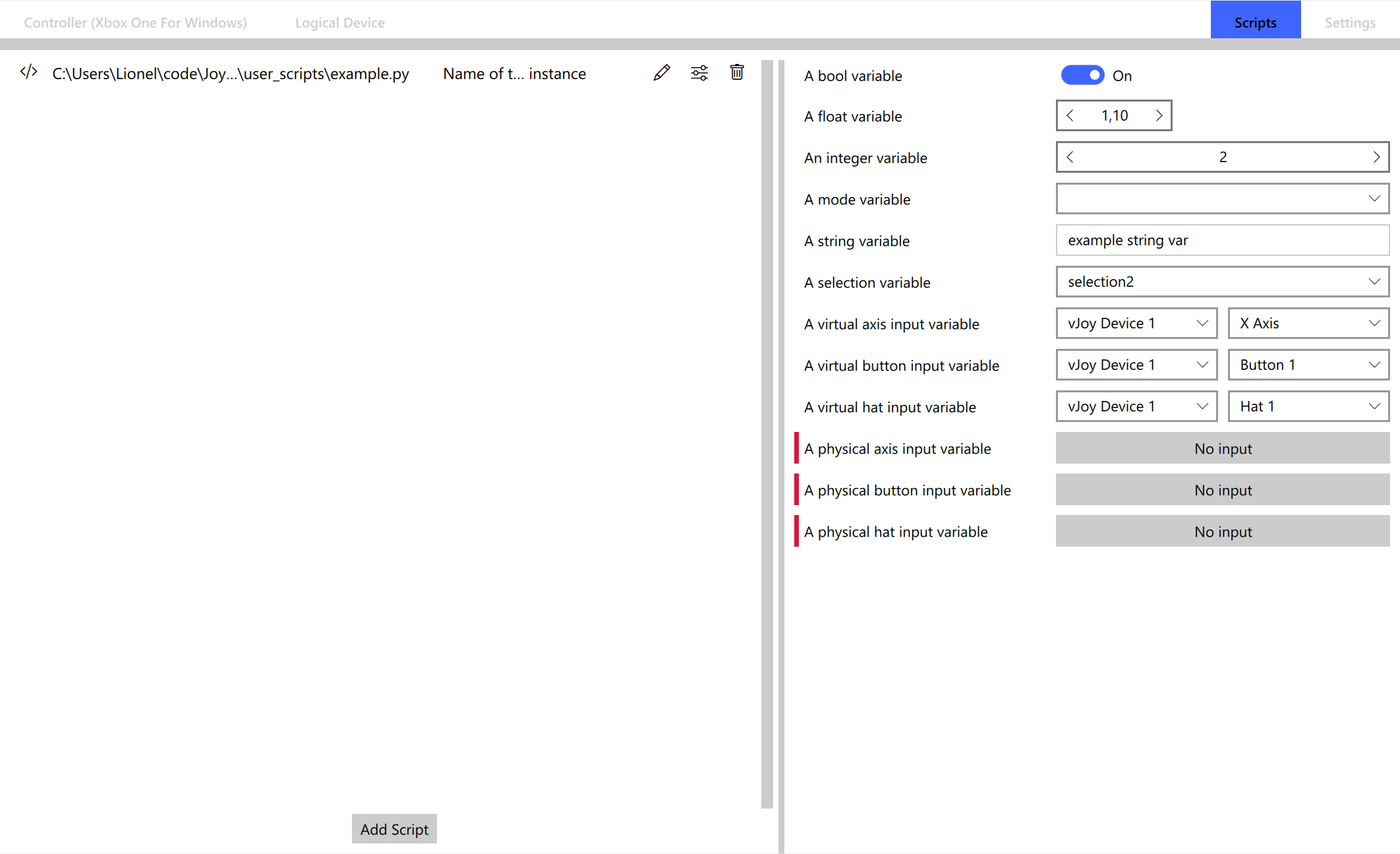
The left-hand side of the UI shows the individual scripts that have been added. The same script can be added multiple times, allowing the same functionality to be used for different configurations. The individual script instances can also be named and configured. The settings of a specific script instance is shown on the right-hand side.
The panel shows a list of configured variables with their name and configuration being shown. Variables that have to be configured have a red mark next to their name.