Concepts
The following section introduces the terminology used by Joystick Gremlin and explains their meaning.
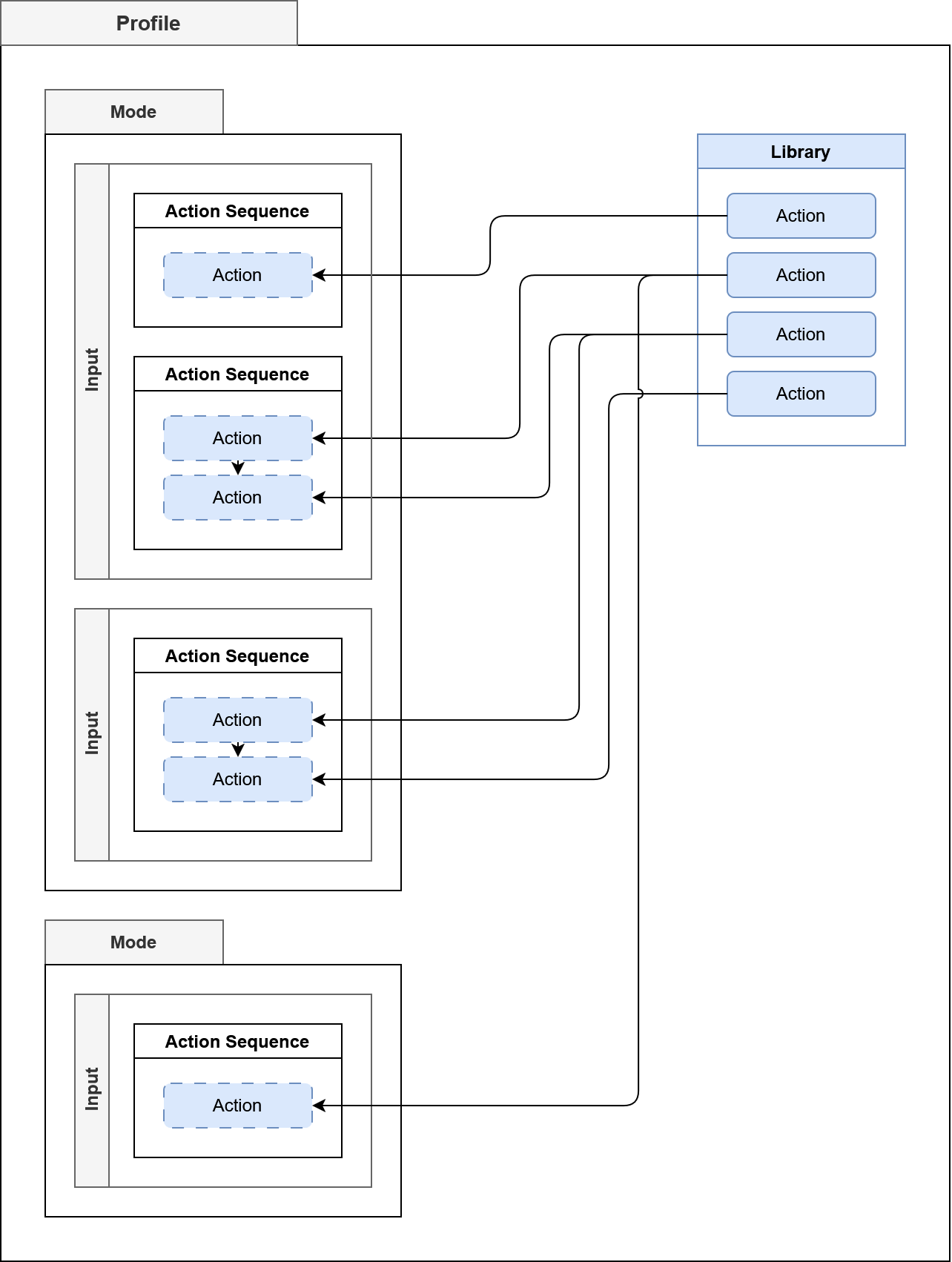
The image shows how the different components of a profile and how they relate to each other. The figure omits the physical or logical device inputs that would trigger the configured inputs and result in the configured actions to run.
Input
An input is an axis, button, hat, or keyboard key. These can be from either physical devices or the logical device.
Action
An action is something Joystick Gremlin executes in response to an input event being received, typically due to the user activating an input. Examples include running a macro, sending button presses to vJoy, or changing to a different mode.
Action Sequence
An action sequence is a collection of one or more actions that are processed sequentially and pass the event value with any modifications an action has done to it along to the next action. Action sequences form a tree which is traversed in depth first order during execution.
Mode
A mode is a collection of action sequences associated with inputs. Each mode can inherit from one other mode, its parent. If a mode and its parent both define action sequences for the same input only the action sequences of the mode and not those of its parent are used. If the mode defines no action sequences for an input but the parent does the parent’s action sequences are used. This allows having a common set of base action sequences with more specialized modes add to or override.
Library
All actions are stored in a library, enabling their reuse in different action sequences. As a consequence action sequences do not contain actions themselves but rather references to the action stored inside the library.
Profile
A profile is an XML file that contains the action sequences assigned to inputs, the mode hierarchy, and profile-specific settings.